
How to change the default font
-
Right-click inside any description window.
-
Select View > Options.

-
In the window that opens, click Default font settings.
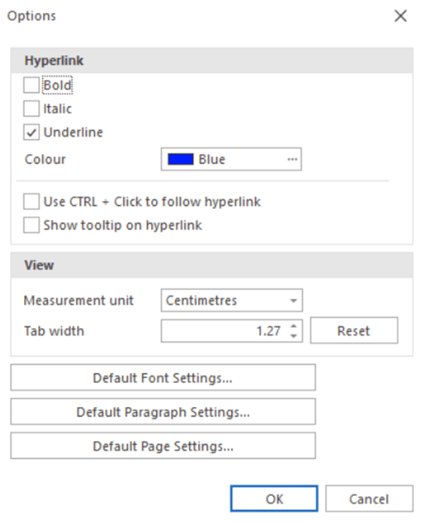
-
Choose your preferred font.

-
Click OK twice to confirm.
The new font is now applied.
What happens after changing the font
-
New elements will immediately use the new default font.
-
Existing empty description windows will also adopt the new font.
-
Already filled description windows will not change automatically. You must update those manually if needed.
- Changing the default font applies to the entire database and affects all users working in that database.
