
It is possible to couple an Internet address with a topic. In each Description screen that contains a hyperlink to a topic that is coupled with an Internet address, the user can directly open the website by clicking the hyperlink (see Hyperlinks).
To couple an Internet Address:
- In the Topic screen select the topic you want to couple a file to.
- Select the Edit tab followed by the Couple Topic with drop down button or right-click and select Couple Topic with.
- Select Internet Address.
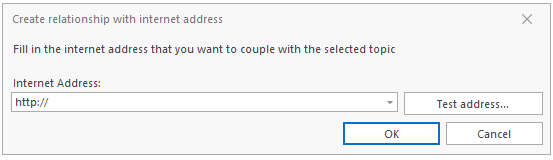
- Enter the Internet address (the application will add http:// to the URL when you test it, or click OK).
- Test the link by clicking Test (your default Internet browser will be opened with the URL you entered).
The following window appears:
Note:
-
In the Relationships screen of the topic with which the file is coupled , the link is shown as a relationship in the With What relationship category.By double-clicking the relationship, the URL will be opened.Internet addresses are distinguished by the value External Files in the From column.
- For coupled Internet addresses, you can Edit Paths.
