
A new topic in the topic tree can be created in three different ways. The first and last step of each method is the same:
- Select an existing topic in the Topics screen. If the database is still empty, select the yellow file cabinet.
- Choose one of the following three options:
- Create a topic using the context menu:
- Right-click.
- Select New Topic.
- Select Lower, Above or Below (see Topics: Lower, Above, Below).
- Create a topic using the keyboard:
- Make sure a Topic is selected under the yellow cabinet.
- Choose one of the following keyboard shortcuts: CTRL+L (Lower), CTRL+B (Above) of CTRL+U (Below). An alternative for CTRL+U is the INSERT key.
- Create a topic using the ribbon:
- Click one of these buttons on the Edit tab:
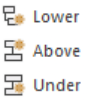
- Click one of these buttons on the Edit tab:
- Create a topic using the context menu:
- Give the new topic a name and press ENTER.
