
Note: Adding an SQL database requires a certain amount of knowledge about the SQL server. For this reason it is recommended that your system administrator handles the creation of SQL databases.
To add an existing SQL database to the list of available databases:
(Ensure that SQL Server Tasks is selected for the Database Manager; see: SQL Server Tasks)
1. Start the Database Manager (see Database Manager).
2. Choose the option Add database to the list. Alternatively you can select the File > Add Mavim Database menu item in the Database Manager.
The following screen will appear:
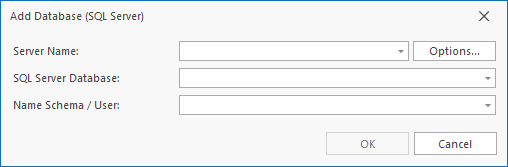
3. Enter the Server Name and click Options.
4. In the Options screen, Enable the necessary server security options to allow a connection the SQL database.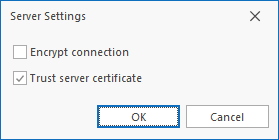
5. Enter the Database and Schema and click OK to add the database to Mavim.
