
A database has a number of properties that can be accessed as follows:
1. At the highest level in the Topics screen, select the Mavim Database folder.
2. Select Properties from the Edit tab or press F4.
3. The Properties window appears, with the tabs General, Database, and Connections.
General tab:
Here you see general information regarding the database. The information cannot be modified. For an explanation of the fields: see Topic Properties.
Database tab:
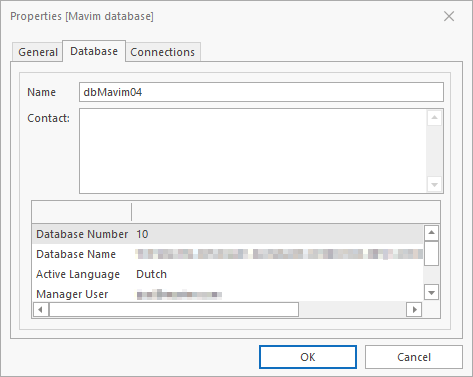
More database information is displayed, and some of the data can be modified:
· Name: logical database name.
· Contact: you can save information here, e.g. contact information for the DBA (this information can only be accessed in this window).
· Database Number: unique number of the database.
· Database Name: location and file name of the database.
· Active Language: order number of the active language.
· Mavim User: login code of the user.
· Machine Region: Indicates in which region the database is running.
Connections tab:
Here you can see which users are currently connected to the database.
