
If you start up Mavim, the window in which you can select a database is automatically opened. If the application is already running and you want to open another database:
Select Open from the File tab or use the keyboard shortcut CTRL+O.
The Open Mavim Database window:
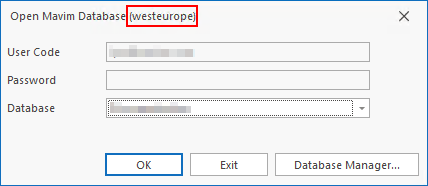
Here you can see that the region where Mavim Manager is running, assuming you are using the online environment.
1. For User Code and Password, enter the correct information. If no user rights have been set (see Database Security) you can open the database with the default user code SUPER (as administrator) or USER (as normal user), both without passwords.
2. Select the database you want to open in the dropdown menu next to Database. If the database you want to open is not in the list, you will have to add it first or create a new one.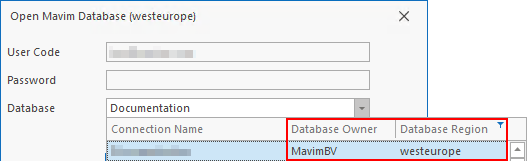
When you expand the Database drop-down menu you will see the database name, the owner of the database and the region where the database is hosted. This drop-down menu can be expanded if needed by clicking and dragging the bottom right corner.
You can also see that there is a filter button in the top right corner next to Database Region: 
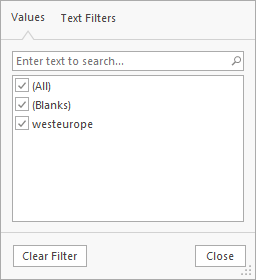
If you do not see any databases in the drop down list, it could be that a region has been selected that does not host any databases for you.
3. Click OK and Mavim is opened with the selected database.
If multiple users are active in the database, users will be notified by means of a message in the bottom right-hand corner of the display:

This information can also be found in the status bar of the application.
If you open a database that is in a different region to where you are working from, you will see a message as shown below:
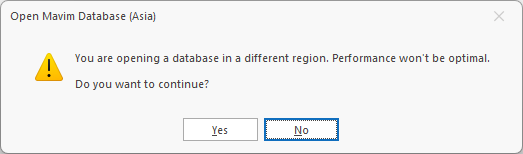
You are free to click "Yes" but please be aware that performance may be impacted. Once the database is open, you can see it's region in the bottom left hand corner of the Mavim Manager.
