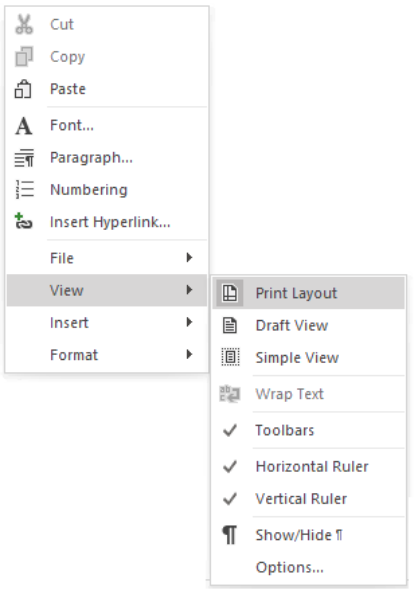
The Print View provides a Microsoft Word look and feel for the Description screen.
To view the Print Layout of the Description screen:
- Place the cursor in the Description screen.
- Select Print Layout in the ribbon under Layout > Description Screen Options.

OR open the context menu and select View > Print Layout.