
You can use the Ruler to show and adjust tabs and margins. To access the Ruler:
- Place the cursor in the Description screen. (Screen has to be in Print Layout: see Print Layout)
- Open the context menu and navigate to View > Horizontal Ruler / Vertical Ruler
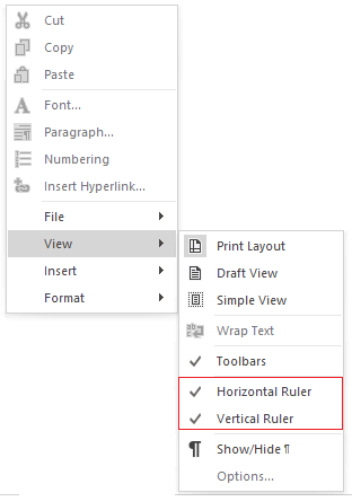
Or select in the ribbon under Layout > Description screen > Horizontal Ruler / Vertical Ruler

Note:
The unit of measurement on the ruler can be set to either centimetres or inches. This can be done by opening the context menu in the description screen and selecting
View > Options.
