
You can Wrap Text in the Description screen so that it fits the width of the screen and shows text lines completely.
This option is only available if you have Simple View enabled.
To turn this on:
- Place the cursor in the Description screen.
- Open the context menu and select View > Wrap Text
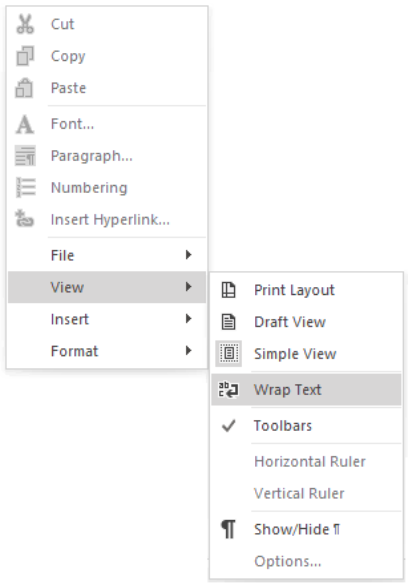
OR select Layout > Description Screen Options > Wrap Text.

