
For coupled files of the type File you can check the paths and change them simultaneously. You can also select other files.
To edit the Paths:
- Go to Objects in the Topics screen (if not visible, go to Layout > Topics Screen Options and turn on Objects).
- Go to External Files, right-click and select Edit Paths.
- You will see the Edit Paths window:
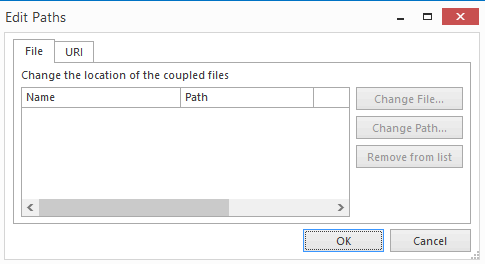
As you can see, this screen has two tabs named File and URI. On the File tab you will see all coupled files of type:
- File
In the URI tab you can see all couple information of type:
- Network File
- Network Location
- Internet Address
- E-mail Address
You can change the following from this screen:
- Change File
- Change Path
- Remove from list
Note:
-
The Edit Paths window will indicate whether a coupled file of the type File does not exist:

This allows you to easily see which file or location no longer exists. This functionality works for all coupling types:
- File
- Network file
- Network location
