
You can check the fields to ensure that required fields have been given a value.
To do this:
1. From the Tools tab, select Check Fields from the Review group.
The following screen appears:
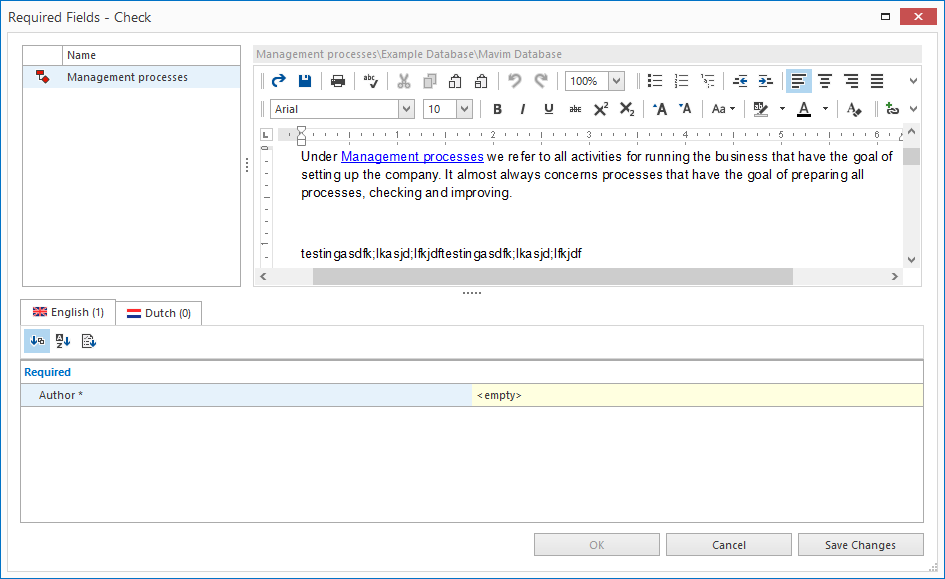
2. All topics that have required fields that do not yet contain values are shown, and you are given the option to enter values for them.
3. Select the topics one at a time and enter the required value in the required fields.
4. If you want to save changes made before closing the window, simple click the Save Changes button.
Note: If creating a version, the required fields are checked. If any required fields are empty it will not be possible to create a version.
