
You can delete a topic in the Topics screen and in the Subtopics screen. Select the topic you want to delete and choose one of the following options:
- Press the DELETE key.
- Right-click and select Delete.
- Click
 in the Clipboard group of the Edit tab.
Deleting a topic will result in a confirmation message as shown below:
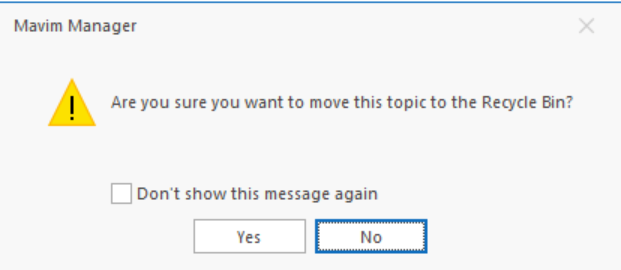
If you click Yes, the topic will be moved to the Recycle Bin. Clicking No cancels the delete action. If you no longer wish to receive this confirmation, enable the "Don't show this message again" checkbox. If you choose to no longer show the confirmation screen, you can enable it again in the Mavim Manager Options screen.
Note:
When you delete a topic, its description, relationships and subtopics are also deleted.
In the Subtopics screen you can select multiple topics at once by holding the CTRL key or SHIFT key while clicking the topics with your mouse.
Restore Deleted Topics:
Deleted topics are stored in the Recycle Bin in the Topics screen. You can restore the topics from the Recycle Bin. See Recycle Bin.
If the parent Topic that the deleted Topic belongs too has been deleted, when restoring the deleted Topic you will be asked where in the tree you would like to restore the Topic as the original parent is no longer available.
