
The SharePoint Connection Manager has the following sections and functionality: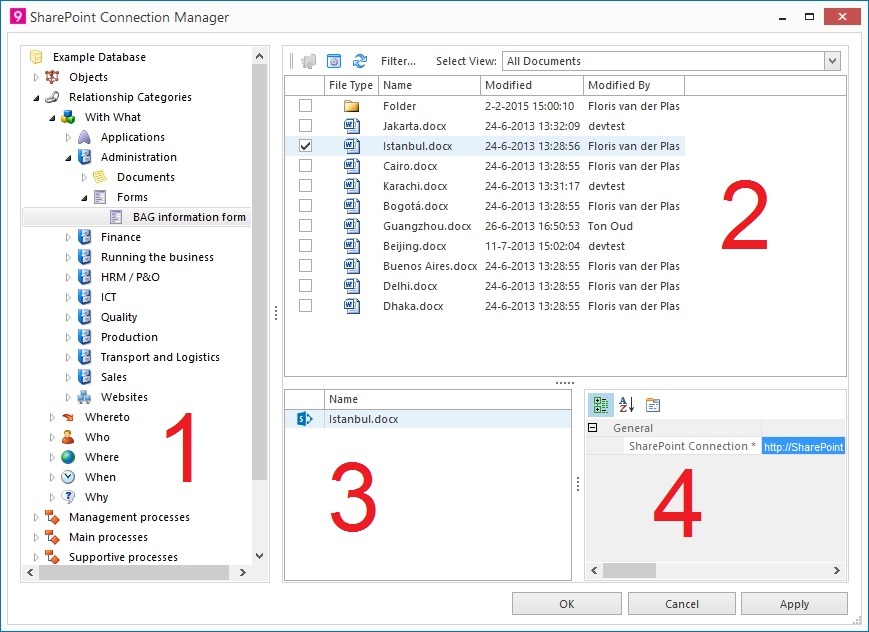
1. In this section all Mavim topics are shown.
These topics can be selected one by one.
2. This section shows all SharePoint Document Library items.
An item can be a document as well as a folder.
An item can be selected by enabling its checkbox.
Multiple items can be selected at a time.
At the top of this section five buttons are available:
· 
Navigates one level up in the SharePoint Document Library.
This button functions only after opening a folder in the items list (by double clicking).
· 
Opens the Wizard to select a SharePoint Document Library.
Using that dialog box you can call another SharePoint Document Library.
See Setting up a SharePoint connection.
· 
Refreshes the current SharePoint Document library.
· 
Opens a filter screen. In this screen you can enter text to decrease the SharePoint Document Library items list: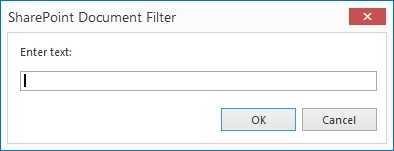
· 
With this button you can select one of the available SharePoint Document Library list views to be used in this Connection Manager section.
3. This section shows all Document Library items coupled with the Mavim topic selected in section 1.
If necessary you can delete created couplings by opening the context menu of a coupled item in this section and select Delete.
4. This section shows the coupled item's fields.
The specific URL to the SharePoint Document Library item is filled in as field value.
