
There are 4 options available when configuring which data is changed by the source Topic or made for just the Mirrored Coupled Copy.
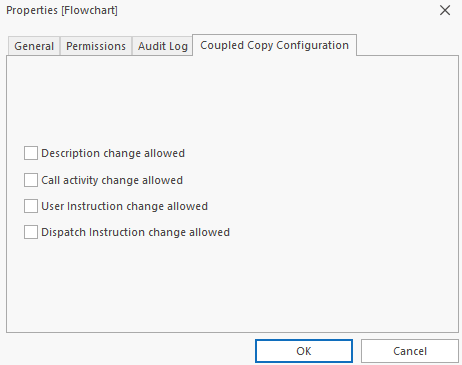
You can access these options as follows:
- Select the Mirrored Coupled Copy Topic.
- Open the context menu and select Properties.
- Switch to the Coupled Copy Configuration tab.
Each option will be described in the following sections. It is important to note that these options are only available for the Topic that was copied using the Mirrored Coupled Copy function. All child Topics will automatically be affected by the options you set on the parent Topic.
The default configuration for these options can be set in the Tools > Options screen as described here.
Description Change Allowed:By default, the description of the source Topic will be the one shown for the Mirrored Coupled Copy. Any changes made to the source Topic after it has been copied will also be shown in the Mirrored Coupled Copy.
If you enable the option to making changing the description of the Mirrored Coupled Copy description, the original data will still be shown but can be changed or completely removed and replaced with something else. Remember that these options are only available on the parent Topic of the Mirrored Coupled Copy and they affect the parent Topic itself and ALL child Topics.
- Select the Mirrored Coupled Copy Topic and open the context menu.
- Click Properties.
- Now switch to the Coupled Copy Configuration tab.
- Enable the Description Change Allowed option.
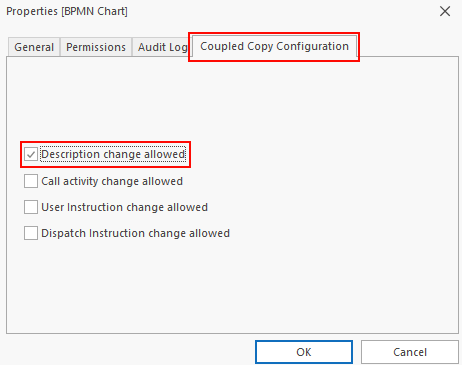
- Click OK.
You can now change the description of the Topic and it's child Topics as needed.
Important to note here is that if you disable this option again, the original description from the source Topic will once again be shown. Enabling the option again will show the changed description once more. Both descriptions are stored in the database but only one is shown, depending on how this option is configured.
Call Activity Change Allowed:
When working with BPMN charts, you will be dealing with Call Activity Topics. These Call Activities are often connected to other Topics within the database. If you are using the Mirrored Coupled Copy to create processes that are based on BPMN charts, you will sometimes need to make changes to the Topic that the Call Activity is pointing to. With normal Coupled Copies, this isn't possible but can be enabled for Mirrored Coupled Copies.
This is done as follows:
- Open the context menu for the parent Topic of the Mirrored Coupled Copy and select Properties.
- Switch to the Coupled Copy Configuration tab and enable the Call Activity Change Allowed option:
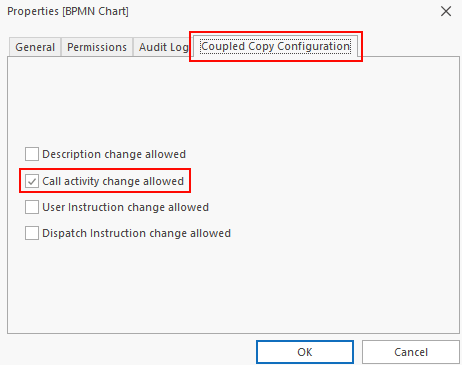
- Click OK to close the Properties screen.
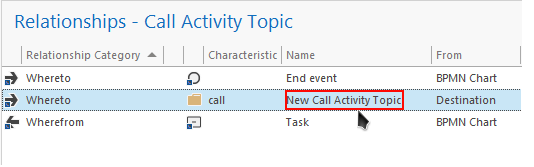
You will now notice that when you navigate to the Call Activity within the Mirrored Coupled Copy you can open the properties of the relationship and use the Move function:
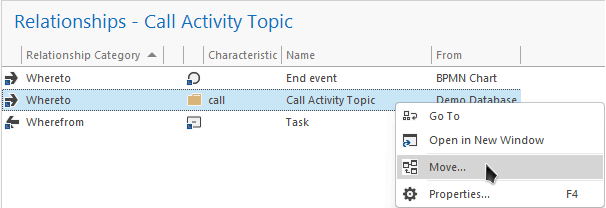
You can click this function and select the new Topic so that the Mirrored Coupled Copy no longer points to the original:
User Instruction Change Allowed:
In some cases, topics that are to be mirror coupled copied will also contain relationships that have User Instructions assigned to them. You may need to change the User Instruction for this copy. This can be done with the correct configuration.
- Open the context menu for the parent Topic of the Mirrored Coupled Copy and select Properties.
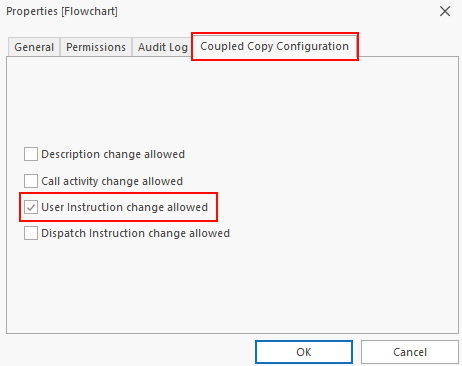
- Switch to the Coupled Copy Configuration tab and enable the User Instruction Change Allowed option:
- Click OK to close the screen.
You will now notice that when you open the context menu for the Mirrored Coupled Copy, the User Instructions option will be available. You will be able to make changes to the description of the User Instructions.
Dispatch Instruction Change Allowed:In some cases, topics that are to be mirror coupled copied will also contain relationships that have Dispatch Instructions assigned to them. You may need to change the Dispatch Instruction for this copy. This can be done with the correct configuration.
- Open the context menu for the parent Topic of the Mirrored Coupled Copy and select Properties.
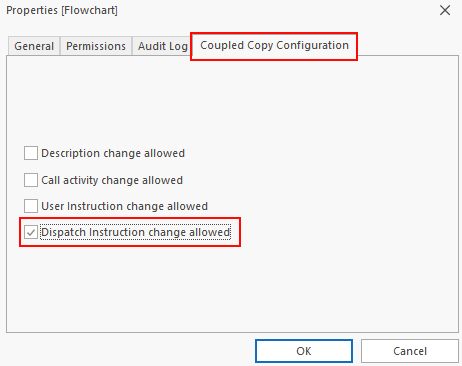
- Switch to the Coupled Copy Configuration tab and enable the Dispatch Instruction Change Allowed option:
- Click OK to close the screen.
You will now notice that when you open the context menu for the Mirrored Coupled Copy, the Dispatch Instructions option will be available. You will be able to make changes to the description of the Dispatch Instruction that are from the source topic. You will also be able to add new Dispatch Instructions to the mirrored couple copy.
