
In Mavim Manager, it is possible to move topics within the tree view. When you move a topic its description, relationships and subtopics are also moved.
There are two ways of moving topics. You can either use the tools provided in the Ribbon or you can use Cut and Paste.
Move topic using the ribbon:
- Select the Navigation tab.
- Select the topic you want to move in the Topics screen or the Subtopics screen.
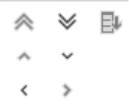
- Use the buttons on the Navigation tab to move the topic in the topic tree:
Move topic with cut and paste:
- Select the topic you want to move in the Topics screen or in the Subtopics screen.
- Choose Cut.
- Select the topic into which you want to paste the cut topic.
- Choose Paste Lower, Above or Below to place the topic in the correct place.
Note: In the Subtopics screen, you can select several topics at once by holding down the CTRL key (or SHIFT key) whilst clicking topics with your mouse.
