
If you have created a Cross Function Flowchart, you can change the topic type of a shape in the chart.
1. Right-click on the shape whose topic type you want to change:
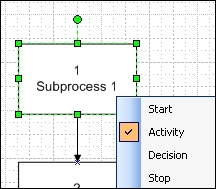
2. Select the required topic type in the menu. If you change the topic type, the shape turns pink to indicate that the change has not yet been processed in the database. To save the change, click  .
