
The Options screen is available when you create a new chart or by selecting Options from the context menu of an IDEF0 chart:
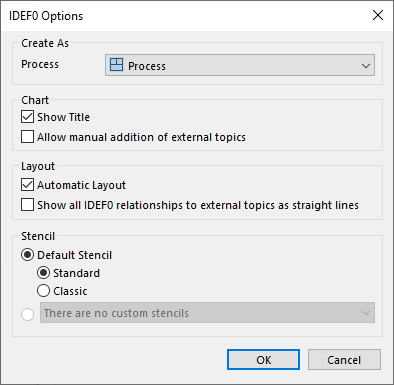
The following sections can be set:
Create As:
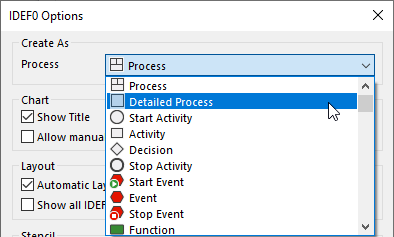
Here you can choose the type of topic that must apply to every shape in the chart. You can make your choice from the following dropdown menu:
Allow manual addition of external topics
If this option is enabled, you can manually add external topics to the chart.
Layout:
Show all IDEF0 relationships to external topics as input: If this option is ticked then external topics, which are normally shown as structure information in an IDEF0 chart, are shown as input.
