
In a Cross Function Flowchart, the process activities are spread across lanes, and each person involved has his or her own lane. You can immediately see who is involved in which activity and what his or her role is.
Functional Flowcharts are also referred to as Cross Function Flowcharts or Swim Lanes. The official model of the cross function flowchart is limited to functionaries or departments. Mavim, however, sets no limitations on how you use the lanes. Therefore it can also be used e.g. for a document overview, to see which documents are involved in what part of a process.
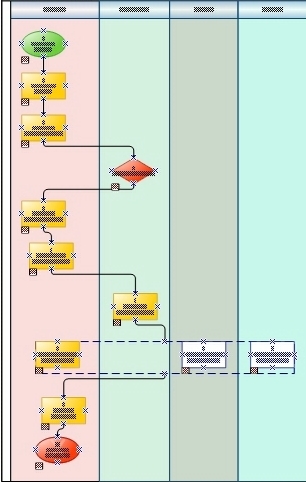
Example of a cross function flowchart
It is possible to use the simulation module with this chart type. More information on this feature can be found here: Simulation
For information on the specific operations regarding Cross Function Flowcharts, see:
· Create Cross Function Flowchart
· Edit Chart
· Change Topic Type
· Add Relationships
· Reverse Relationship
· Show Existing Relationships in Chart
· Add Characteristic to Relationship
· Delete Characteristic from Relationship
· Edit Chart Definition
· Change Cross Function Flowchart Layout
