
Custom Visio Stencils are saved under Objects (see Objects for more information) with the chart type for which it was created.
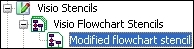
You can export these stencils to use outside Mavim, for example if you want to allow someone who uses Visio but not Mavim to use the stencil:
1. Go to the custom stencil in Objects.
2. Select Export from the right-click menu and choose a location and file name.
3. Click Save.
