
If you select a shape in the Create Custom Stencil window, the Properties button is enabled. In this example an Activity shape has been selected:
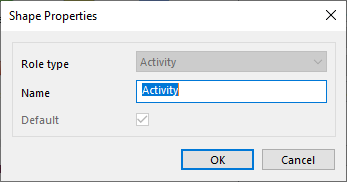
· Role Type: If the shape is not a default shape, you can change the Role Type of the shape by selecting another in the dropdown menu.
· Name: You can change the name of the shape.
· Default: If another shape is default, you can make this shape the default shape for that role type. If this shape is the default, you cannot uncheck the option.
For a complete explanation of creating custom stencils, see: New Visio Stencil.
