
For every topic in the chart, you can indicate which relationship category you want displayed in the chart, and where you want it placed. You can only show those relationships that have already been created.
Note: On a website, all relationships are shown on the right-hand side of the chart. Therefore it is not necessary to show all relationship categories in the chart.
The procedure is the same for all relationship categories. An explanation is provided below of how to show a topic from one of the relationship categories in the chart.
1. Select the topic.
2. Right-click and select Show relationships.
The following window appears:
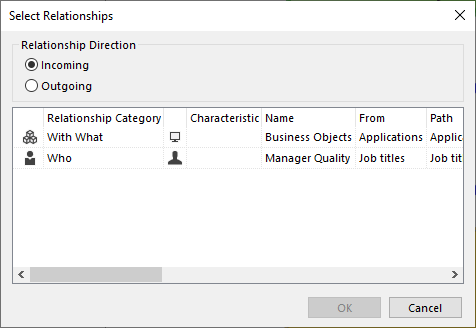
3. Choose Incoming to show the relationship on the left side of the shape, and Outgoing to show the relationship on the right side.
4. Select the relationships that you want to be displayed.
