
If a chart is very large, or encompasses multiple processes, it can be very useful to use multiple pages. This means that you define part of the process as a sub-process:
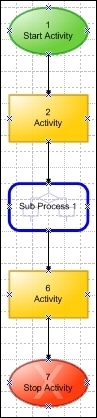
Example of a chart with a subprocess
The subprocess is shown on another page in the chart and can be further specified on its own page. This page can be reached by either using the Process explorer or by clicking the Subprocess tab.

Each subprocess has its own tab. If you cannot see the tab, you can use the All button to explose all available tabs: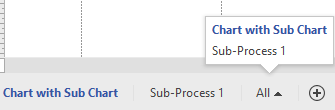
Explanation of relevant topics:
Note: Using multiple pages in a chart is not extended to the Topics window in Mavim. All topics will be shown in the same way as charts with only one page.
