
When you own a Mavim Portal you can publish your information directly as Website for Mavim Portal.
1. Go to Modelling Tab > Publication and select Mavim Portal...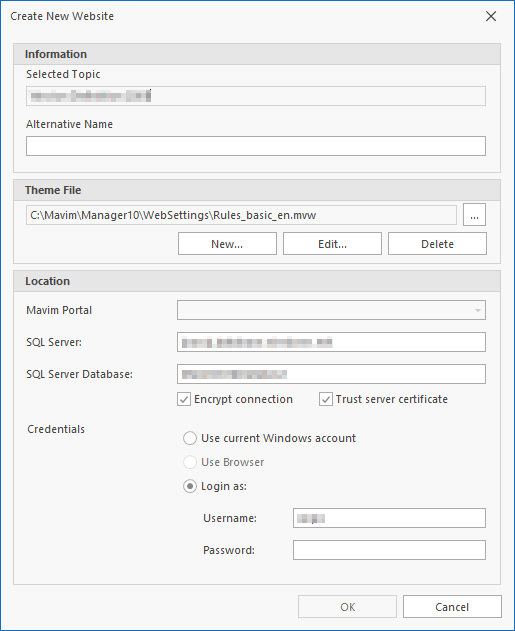
2. In the Theme section you will have to select an existing Web Theme.
Note: Please realize that a (in the Web Theme) attached Web Style is NOT used in a Mavim Portal publication.
3. If you click the Edit button in the Theme File section the Web Theme screen appears. Here you can enable and disable the elements you want to be published on the Sharepoint website: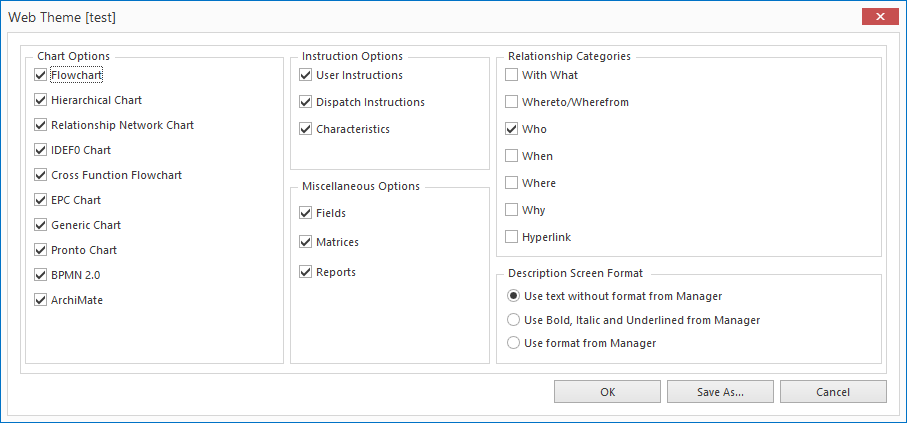
Note: Note: If you un-check the With What in Relationship Category section, no matrices and reports will be shown in the SharePoint publication, because matrices and reports are related to topics as With What relationships.
Note: Note: Mavim Portal does not support MindManager Maps.
Location
If Portal locations have been setup, they will be listed in the dropdown menu next to Mavim Portal.
· SQL Server: Enter the name of the SQL Server where the Mavim Web Database is located.
· SQL Server Database: Enter the name of the Mavim Web Database.
The following two options may need to be changed if you are publishing to a self hosted Mavim Portal. Users of Mavim Manager online will not need to configure these settings.
· Encrypt Connection: Depending on how your SQL server is configured, this option will need to be enabled. Please ask your system administrator.
· Trust Server Certificate: Depending on how your SQL server is configured, this option will need to be enabled. Please ask your system administrator.
More information for your system administrator on these settings can be found here: Encrypt Connection, Trust Server Certificate
Credentials
Here will have to enter the necessary credentials for your SharePoint server. Consult your system administrator for the correct information.
The Use Browser option is only needed if you need to log in with Multi Factor Authentication.
When you click the OK button to start the publication you will see a screen as follows:
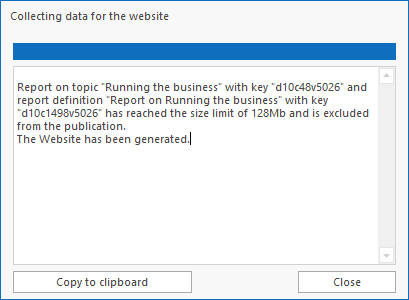
This screen gives you feedback about your Mavim Portal publication.
As you can see in the above example, a report has been generated for the version that is larger than 128Mb and has automatically been excluded from the publication. There are certain limits built into the software to help with the performance of the Mavim Portal.
· Reports larger than 128Mb will automatically be excluded during the publication
· Matrices with more than 100000 cells will also be excluded during the publication
The size of the Reports and Matrices is calculated during the publication but using the information shown you can trace which topics are related to the Reports and Matrices that are too large for the publication.
Note: When creating a version, you have the option to skip the Chart Consistency check. If this is the case, the charts will also not be checked during the publication to the Portal and you will see the following message:
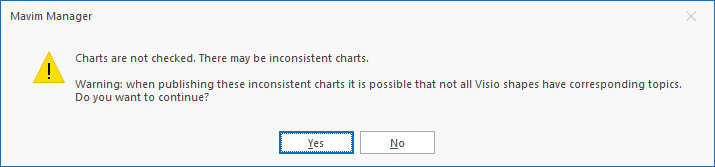
If you want the charts to be checked you will need to create a new version and include the chart consistency check during the creation of the version.
