Relationships can be created in several ways:
- In the Topics screen:
- Select a topic.
- Select New Relationship(s) from the context menu.
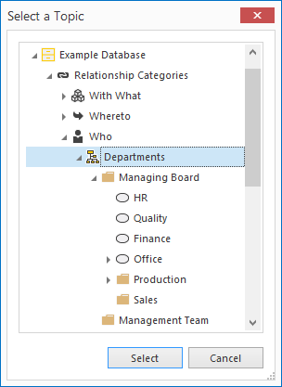
- Select the relationship category and then the topic with which you want to create the relationship.
- In the Relationships screen:
- Select New Relationship(s) from the context menu.
- Select the relationship category and then the topic with which you want to create the relationship.
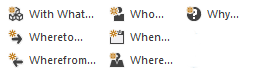
- Using the buttons on the Ribbon:
- In a Matrix:
This option is particularly useful for creating several relationships consecutively.
For an explanation, see: Add Relationships and Characteristics in the Matrix.
- By copying topics and pasting them in the Relationships screen:
- Select a topic and then select Copy from the context menu (or use CTRL-C).
- Select the topic you want to create the relationship with.
- Click in the Relationships screen and select Paste from the context menu (or use CTRL-V).
When creating relationships, you can choose to create one or more relationships at a time by using the CTRL key or SHIFT key.
The relationship(s) will be created by clicking Select: