
In the relationships screen you can change the order of the relationships for that topic.
To change the order of relationships on that topic, the column Relationship Order Number has to be visible.
Open the Options Relationship Categories screen and open the tab Table Options:
Note: You can find the Options Relationship Categories screen in the context menu of a column in the relationship screen.
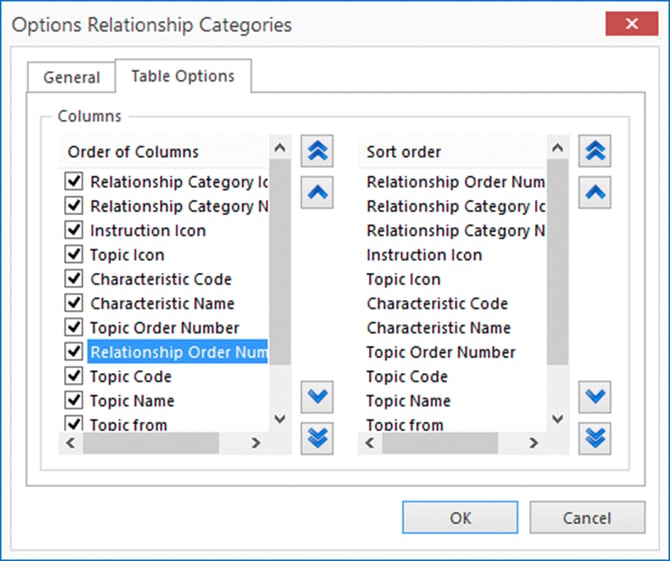
Enable the Relationship Order Number and at Sort order, make sure that the sort order starts with Relationship Order Number.
When the Sort order starts with Relationship Order Number and a relationship is selected, the order of a relationship can be changed with Moving and Sorting buttons from the tab Navigation.
Hyperlink relationships cannot be sorted because they are not shown in websites or XML export. The hyperlink relations will appear at the top or at the bottom of the list depending on the sorting status of the Relationship Order number column.
Note: When you want to make active use of ordering relationships, disable the column Topic Order Number in the relationships screen.
