
In the Topics screen, you create a hierarchical structure of topics (see Topics). A topic can be anything about which you want to record information. Examples include: processes, activities, departments, products, programs, employees, quality guidelines etc. The topics are shown in a tree structure that looks like the Windows Explorer. You structure your topics in a hierarchy.
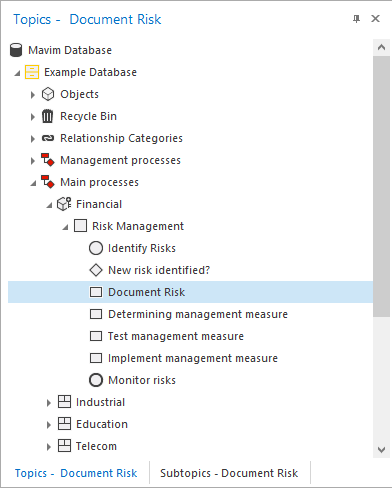
You add the topics yourself, although a number of sections are provided by the application:
Recycle Bin - Contains deleted topics. See Recycle Bin.
Relationship Categories - Categories in which specific information can be recorded and used to create relationships with topics. See Relationship Categories.
Objects - Consists of files that are used for technical purposes. See Objects.
Filing Cabinets - Yellow, Green and Purple filing cabinets are the folders in which all information is stored. Each color has a different meaning: see Filing Cabinets. A filing cabinet can show an External References folder.
Important Note:
-
You can decide whether or not the sections named above appear in the screen.
