
In a version definition (see Create Version Definition), a reference can be made to a distribution list. A distribution list is a list of databases. If a version is made based on a version definition with a distribution list, the created version can only be imported in databases that are included on the distribution list.
To create a distribution list:
1. Select Distribution List from the Version Management group on the Modelling tab.
The Distribution Lists window is opened with the lists that already exist on the left side and the databases that are included in the selected list on the right side:
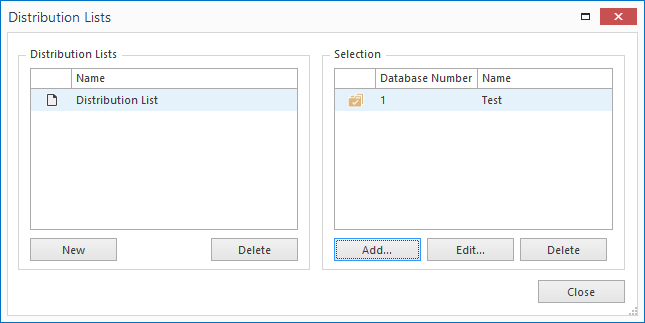
2. Click New to create a new distribution list and give the list a recognisable name.
3. Click Add to add a database to the list and enter the information Database Number and Database Name (see Database Properties). Repeat for every database you want to add to this list.
You can edit the database information by clicking Edit or remove the database by clicking Delete.
4. On the left side of the window you can add a new list by clicking New and delete a list by clicking Delete.
