
The options for enabling all individual templates can temporarily be disabled.
Note: Also see Individually enabling a template.
This is done as follows:
1. Select the main topic Templates in the Objects branch.
2. Open the properties of the Templates.
(This can be done using the F4 key)
The Properties window appears.
3. Select the Templates tab:
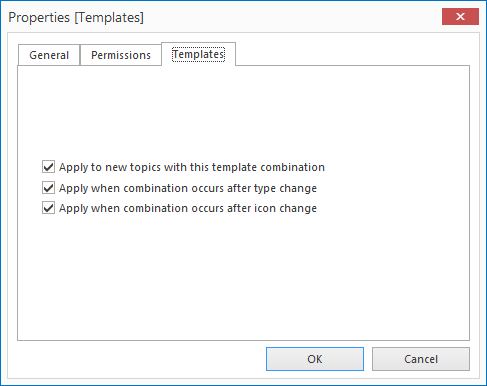
4. Enable the check-box next to the options you would like to temporarily disable.
Note: The options of this parent topic Templates over-rules the individual template options, but does not overwrite them!
This has the advantage that the individual template settings are kept if the parent Template topic is temporarily disabled. If the check-boxes on the parent topic are enabled again, all individual options will function once more.
