
For each template the following can be adjusted:
· if it is to be enabled;
· when it must be applied.
Enabling a template is done as follows:
1. Expand the Objects branch in the tree and select the template you would like to enable.
2. Open the properties of the template.
(This can be done using the F4 key)
The Properties window appears.
3. Open the Template Combination tab:
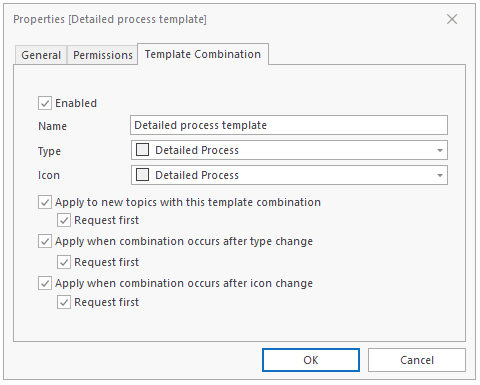
4. Enable the check-box next to Enabled.
Applying the template can be triggered done at three different moments with the option of requesting the application in each case.
5. Enable the desired options.
Note: The options are only valid if they have been set at a general level.
See Enabling Templates in general.
