
Locate the Cross Function Flowchart Definitions
-
In the database, go to Objects.
-
If you don’t see Objects under the yellow file cabinet, go to the Layout menu and check the box for Objects.

-
-
Navigate to Objects → Cross Function Flowchart Definitions.
Rename the definition
-
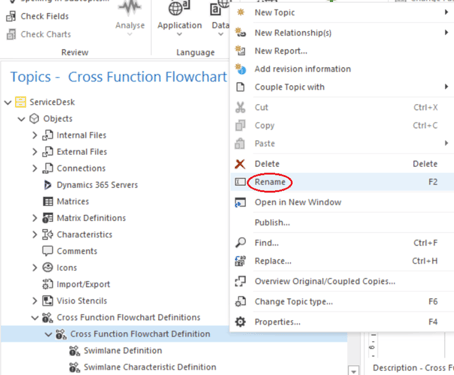
Right-click the definition you want to rename.
-
Select Rename.
-
Enter the new name for the definition.
Add a relationship to the definition
-
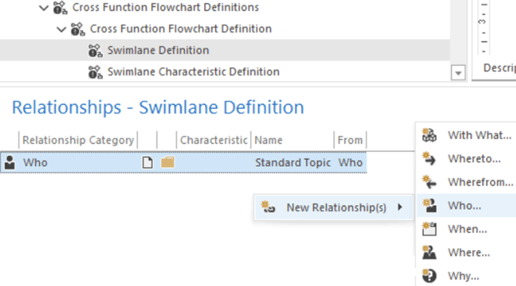
Select Lane definition.
-
In the Relationships window, add a new relationship.
Verify the update
Restart the function flowchart. The newly added relationship will now be visible in the chart.
