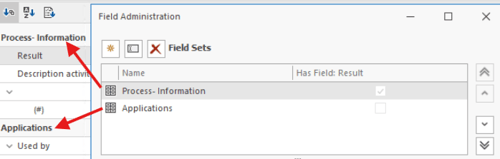
The order of the field sets in the Manage Fields screen determines the order in which they are displayed on a process. You can adjust this order yourself via Administration > Field Administration.
- Go to Administration > Field Administration.
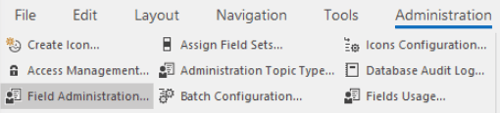
- Check the Fieldsets column.
- Select the set of fields you want to show earlier or later.
- Use the arrow keys on the right to move the field set to the desired position.
- Check the order. The field set at the top is shown first in the process.