Before you start
Make sure you have:
- A dataset with a new event log uploaded
- Access to a Process Hub with Process Intelligence
Steps for starting ProcessIQ
1. Open Mavim Process Mining
- Sign in to Mavim Process Mining via https://processmining.mavimcloud.com
2. Navigate to a Process Hub
- Open a Process Hub
3. Validate a dataset contains an event log
- Check that your Process Hub contains a dataset and a successful event log upload. It might be required you run a new event log upload or data refresh.
4. Navigate to Process Intelligence
-
Navigate to Process Intelligence from the side nav. ProcessIQ needs to perform some background tasks before you can engage with ProcessIQ and start asking questions.
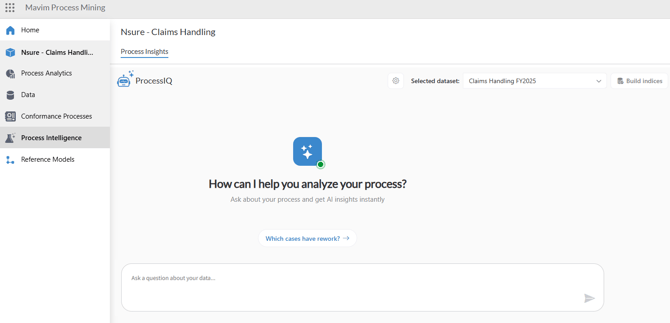
5. Build indices
- Every dataset needs to have indices built. Select the correct dataset and start building indices. Depending on the size of your dataset it might take a couple of minutes for the procedure to complete.
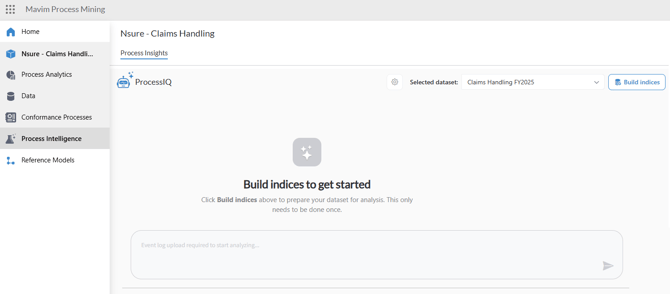
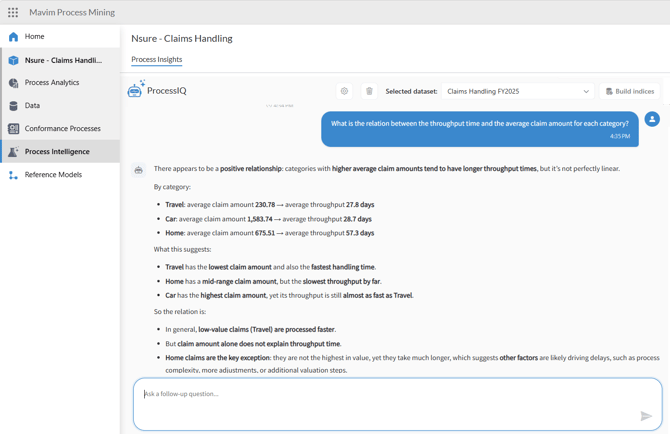
6. Start asking Questions
- Depending on the context of your dataset you can ask questions to get process insights.
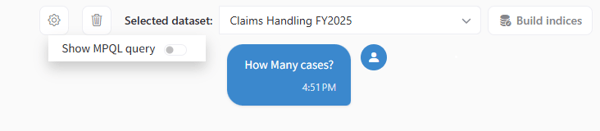
Additional functionalities
- You can show the MPQL query that is used to generate the answer by toggling the switch.
- You can delete the conversation and start with a new chat.
Some points of attention
- ProcessIQ does not support session history or chat history
- After each new dataset upload you need to rebuild indices
- AI generated answers might be incorrect