Before you start
Make sure you have the following:
- An Analyzer license assigned in Mavim Connect Center
- Access to a Process Hub
- A role with the Open report permission
Sign in to Mavim Process Mining
- Go to https://processmining.mavimcloud.com.
- Sign in with your Mavim account.
Open a Process Hub
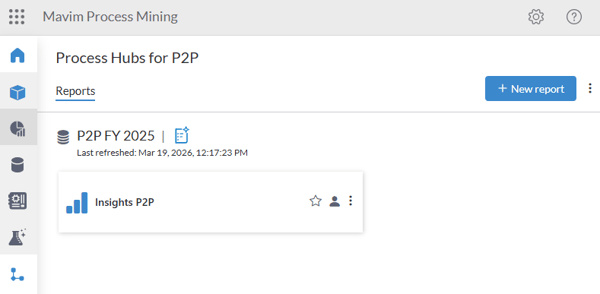
- Select a Process Hub that you have access to.
- In the left navigation menu, select Process Analytics.
Open a report
- On the Process Analytics page, locate the dataset you want to analyze.
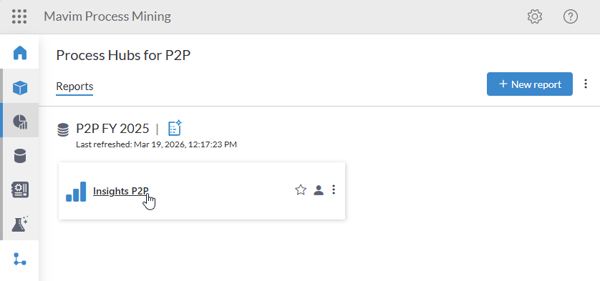
- Browse the available report cards.
- Select the report you want to open.
Analyze the report
The report opens in view mode. From here, you can:
- Navigate through the report pages.
- Interact with visualizations and filters.
- Explore process performance and identify process insights.
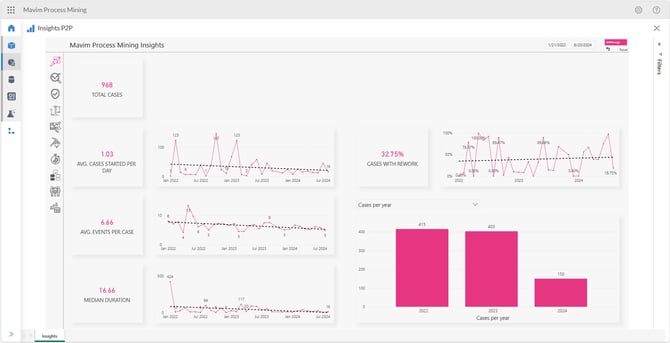
Note: The pages, visualizations, and available interactions may differ depending on how the report was designed. Custom report pages and configurations may be available.