
While making a chart you can check it for consistency with the rules of the selected chart type. You do this by selecting Check chart consistency from the right-click menu on the drawing. When you do not use this option, the check will be performed upon saving the chart.
Note: When you use the option Save Chart under construction, no consistency check will be performed upon saving the chart.
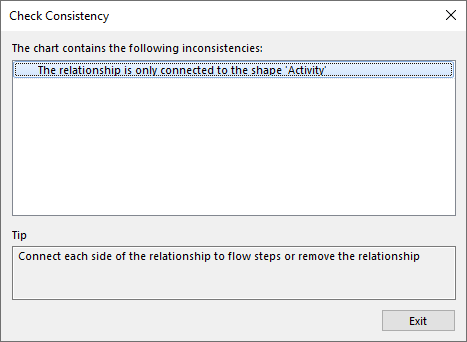
If a chart does not meet the requirements of the chart type (and therefore is not consistent), an error message detailing how and where the chart is not consistent will appear:
To fix the chart, perform the following actions:
1. Select an error. The Tip below is a possible solution for the error shown.
2. When you select the option, the option is also selected in the Visio drawing.
3. When you have resolved the error, it will be removed from the list of errors. Once all errors are removed, you can save the chart.
