
Open the Batch Configuration screen by navigating to Administration > Batch Configuration in the Mavim Ribbon.
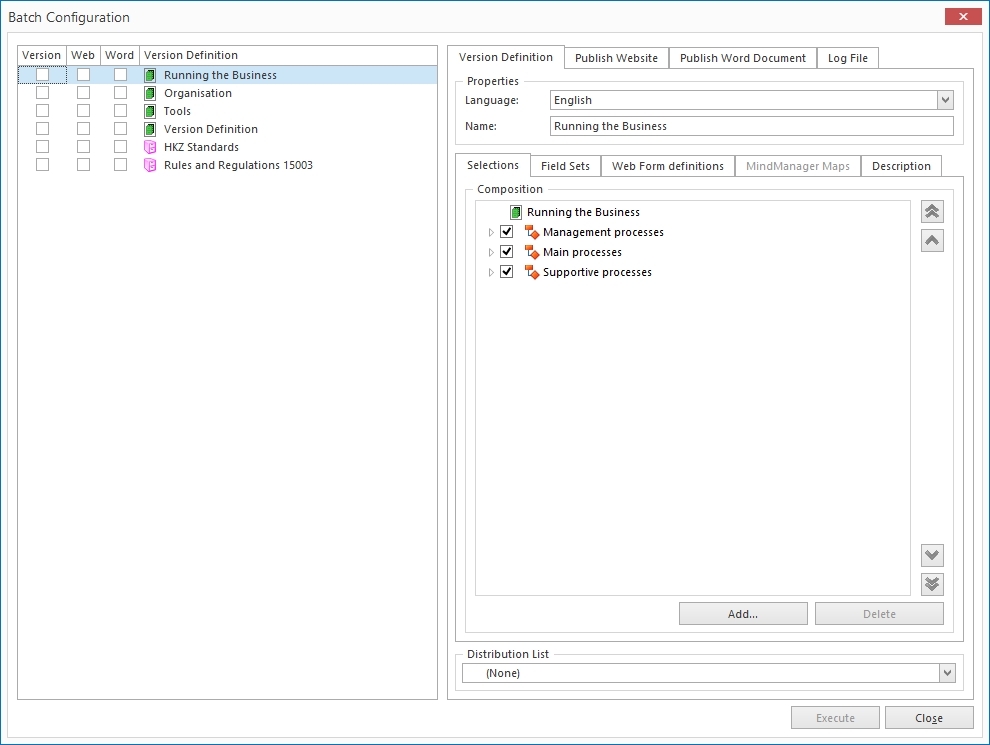
In the left hand pane, you can see the existing version definitions of the opened database. Next to each version definition are three checkboxes. These checkboxes control the actions that are to be performed on the version definition when the batch operation is executed:
· An enabled checkbox in the Version column will ensure that a version is made from this definition.
· An enabled checkbox in the Web column will ensure that a website publication is made for a selected version of the version definition.
· An enabled checkbox in the Word column will ensure that a Word publication is made for a selected version of the version definition.
Note: The version checkbox will always be available. The Web and Word checkboxes however will only be available once all necessary options have been configured for the web or Word publication. This is respectively done on the Publish Website and Publish Word Document tab.
For more detailed information, see:
· Batch publishing as Word document
· Log File
