Prerequisites
- You must have administrator access to the Mavim Connect Center (MCC).
- The user must already exist in the MCC and have been added as an iMprove user.
How to Resend an Activation Link
Follow these steps to resend an activation link to a user:
- Open the Mavim Connect Center (https://connectcenter.mavimcloud.com).
- Navigate to the Users tab.
- Locate the user for whom you want to resend the activation link.
- In the Activation Status column, click Resend.

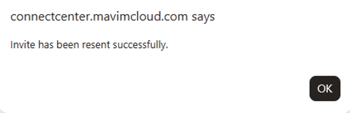
- A confirmation message will appear in the MCC.
- The activation link will be sent automatically to the user's registered email address.
What Happens Next?
Once the user receives the email and clicks the activation link:
- The user's account activation process is completed.
- The iMprove login is activated for that user.
- The user can sign in and access the platform.