
Prerequisites:
- You must have the MPM Admin permission assigned to your user account in Mavim Connect Center.
- You must have a valid Mavim Process Mining license.
Step 1 – Access Admin Settings
- Go to https://processmining.mavimcloud.com.
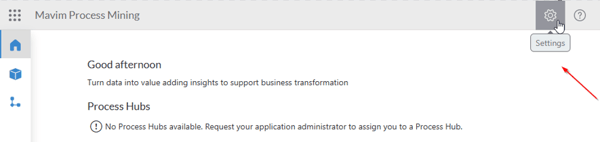
- Click the cogwheel icon in the header bar to open Admin Settings.
Step 2 – View Process Hubs
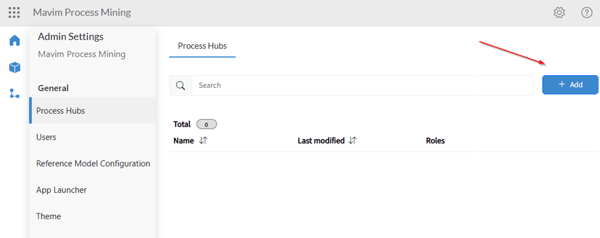
- In the Process Hubs section, you’ll see a list of existing hubs.
- The number of hubs you can create depends on your license.
- The Add button is enabled if you’re allowed to create a new hub.
Step 3 – Create a new Process Hub
- Click Add.
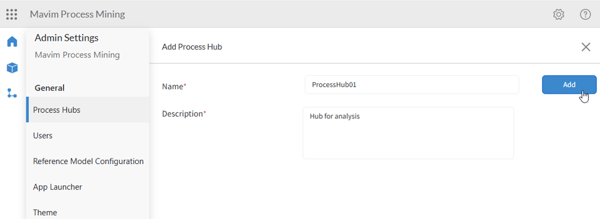
- Enter a name and description for the new Process Hub.
Step 4 – Edit an existing Process Hub
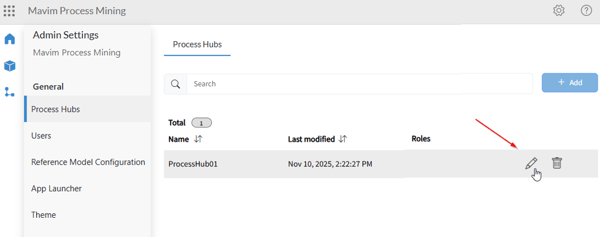
- Click the pencil icon next to a hub to edit it.
Step 5 – Manage roles for the Process Hub
- In the edit screen, you can:
- Update the name or description.
- Add, edit, or remove roles linked to the hub.
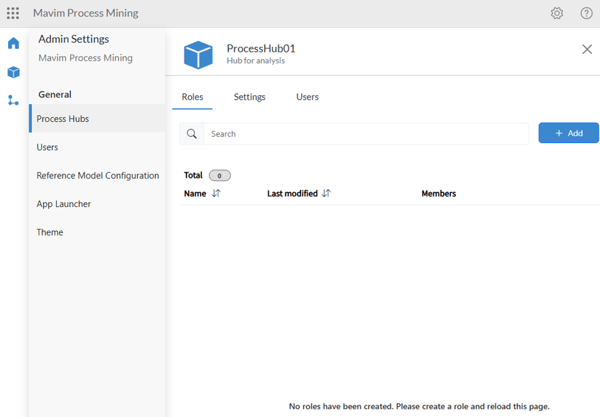
- For details on setting up roles and permissions, see the related article: Setup Role Structure for Process Hub
Step 6 – Confirmation
- Once created, the Process Hub appears in the overview list.
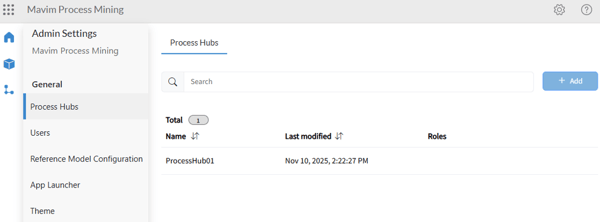
- It’s now ready to be used for organizing your process mining project.
Important notes
- Only users with MPM Admin rights can create or manage Process Hubs.
- The number of hubs is limited by your license.
- Roles define user access within each hub.
