
Key information / steps to include
Microsoft now publishes the Business Process Catalog in two formats:
- Excel
- Mavim .mtdx file
Starting with the March 2026 release, the catalog is generated directly from Microsoft’s own Mavim environment and made available via the Microsoft Download Center.
Here you can find more information about the last release:
Steps to download the Mavim version
- Open the Microsoft Download Center:
Download Microsoft Dynamics 365 Business Process Catalog from Official Microsoft Download Center -
Select the Microsoft Dynamics 365 Business Process Catalog (Mavim) download.
-
Click Download.
- Choose the .mtdx file from the file list.
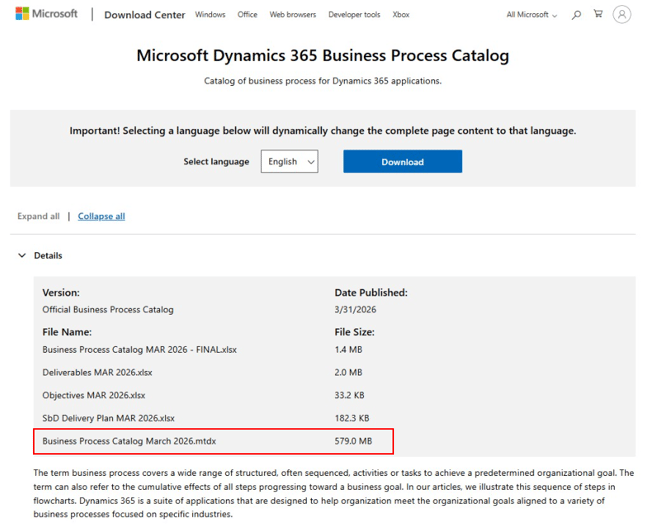
-
Save the file to your local machine.
-
Import the .mtdx file into your Mavim environment
Helpful reference
See the following link for a step-by-step explanation on how to import the .mtdx file in Mavim Manager.
5. Important notes / warnings / prerequisites
- You need access to a Mavim environment to import the .mtdx file.
- The file size can be large, depending on catalog content.
- The download link is maintained by Microsoft. Availability or naming may change in future releases.
