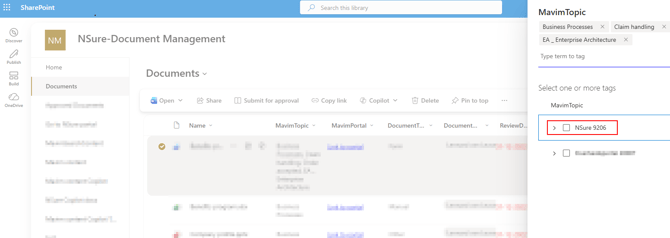
Prerequisites
Before publishing a Mavim version, ensure that:
- A Mavim–SharePoint integration is configured and working correctly (This is a separate add-on. Ask your account manager for more information).
- You have access to the Portal Admin Settings (lock icon).
- The desired version has already been published from Mavim Manager to the Mavim Portal.
Publish a Version to the SharePoint Term Store
- Open the Portal Admin Settings.
- Navigate to the Office 365 tab.
- Scroll to the SharePoint Taxonomy section.
- Click New Publication.
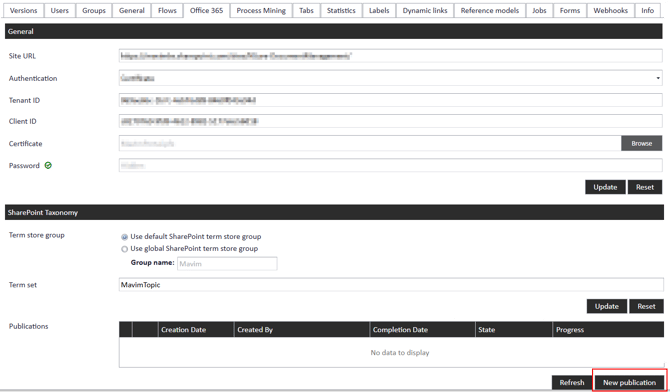
- Select the version you want to publish.
- Click OK to start the publication process.
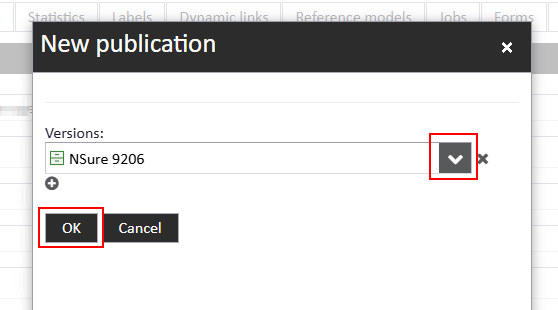
Note: The publication runs as a background job. You can click Refresh to monitor the publication status.
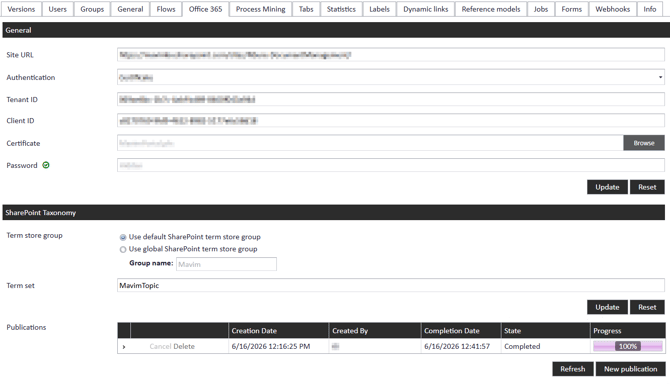
Verify the Publication
Once the publication has completed successfully:
- Check the publication status in the SharePoint Taxonomy section.
- Confirm that the term set in SharePoint has been updated.
Result
After a successful publication:
- The selected Mavim version is available in the SharePoint Term Store.
- Users can tag SharePoint documents with topics from the published Mavim version.
- Existing document links to topics from previously published Mavim versions remain intact and are not affected.